





Analyze

Analyze

Analyze

location

location

location

data

data

data

in

in

in

minutes

minutes

minutes

with

with

with

human-level

human-level

human-level

AI

AI

AI

Extract and analyze data just by chatting with Aino.
No GIS or coding skills required.

Extract and analyze data just by chatting with Aino. No GIS or coding skills required.

Join 2500+ data teams worldwide

Why Aino

Made by urban planners
for urban planners.

Made by urban planners
for urban planners.

Curated data library

10000+ datasets for urban planners' needs: from building footprints to population.

Curated data library

10000+ datasets for urban planners' needs: from building footprints to population.

Transparent data

AI analysis of real world data. All your insights are based on data from verified sourses.

Transparent data

AI analysis of real world data. All your insights are based on data from verified sourses.

No GIS or Coding skills

Questions in plain language instead of code and manual filtering and retrieving.

No GIS or Coding skills

Questions in plain language instead of code and manual filtering and retrieving.

Map Studio

Heatmaps, gradients, and other viz for maps export in popular vector, raster or data formats.

Map Studio

Heatmaps, gradients, and other viz for maps export in popular vector, raster or data formats.

How Aino works

Save 100 of hours on manual data work.
No code. No GIS expertise needed.

Save 100 of hours on manual data work.
No code. No GIS expertise needed.

Seamless access to the data

Seamless access to the data

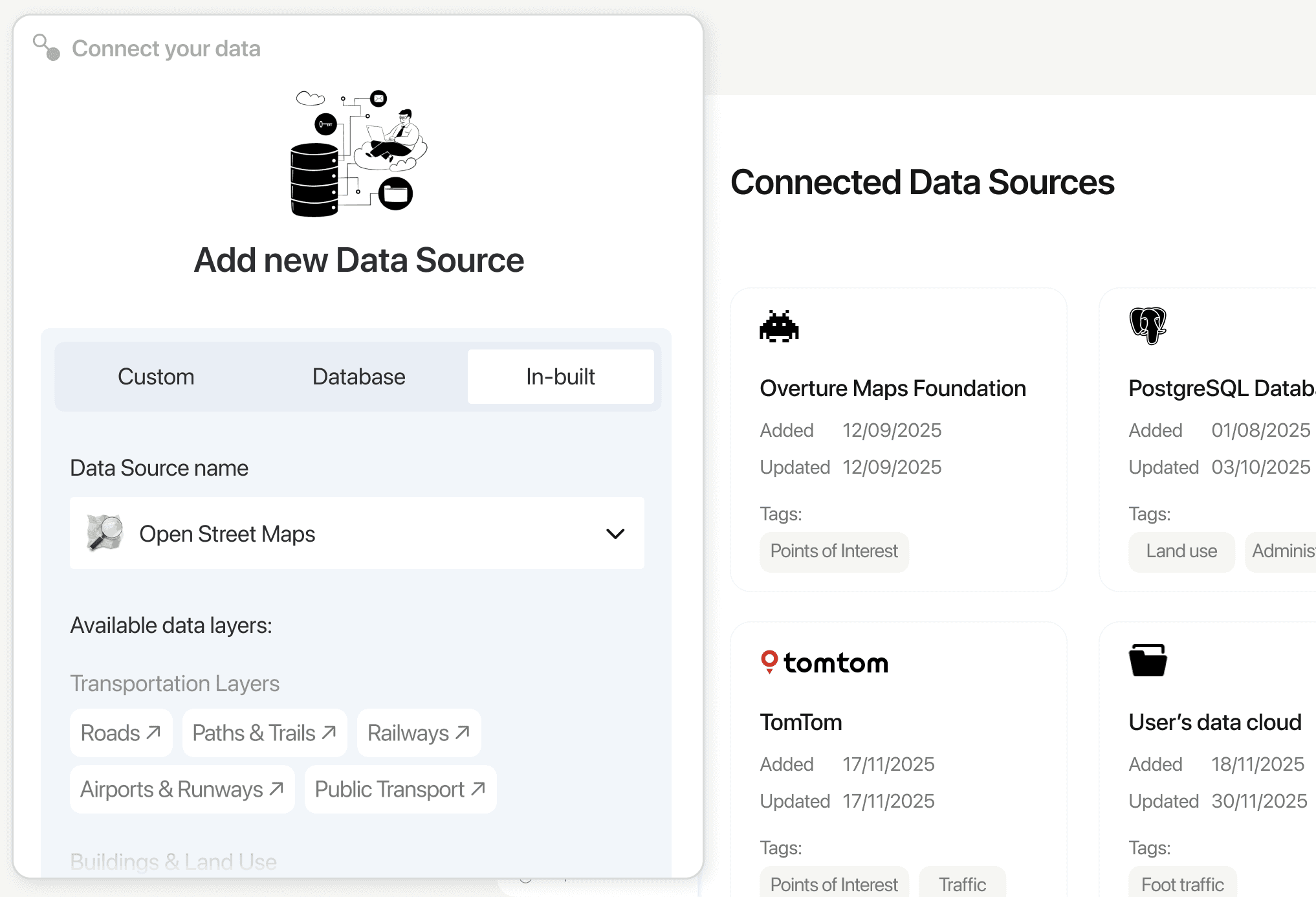
Get data from 20+ in-built data sources or connect your own PostgreSQL (PostGIS) database, cloud storage, spreadsheets or QGIS project.

10000+ datasets from public
and premium sources.

10000+ datasets from public and premium sources.

PostgreSQL (PostGIS) for corporate storage.

Geocoding of addresses from spreadsheets.

QGIS and Google Sheets integrations.
Talk to your data

Talk to your data

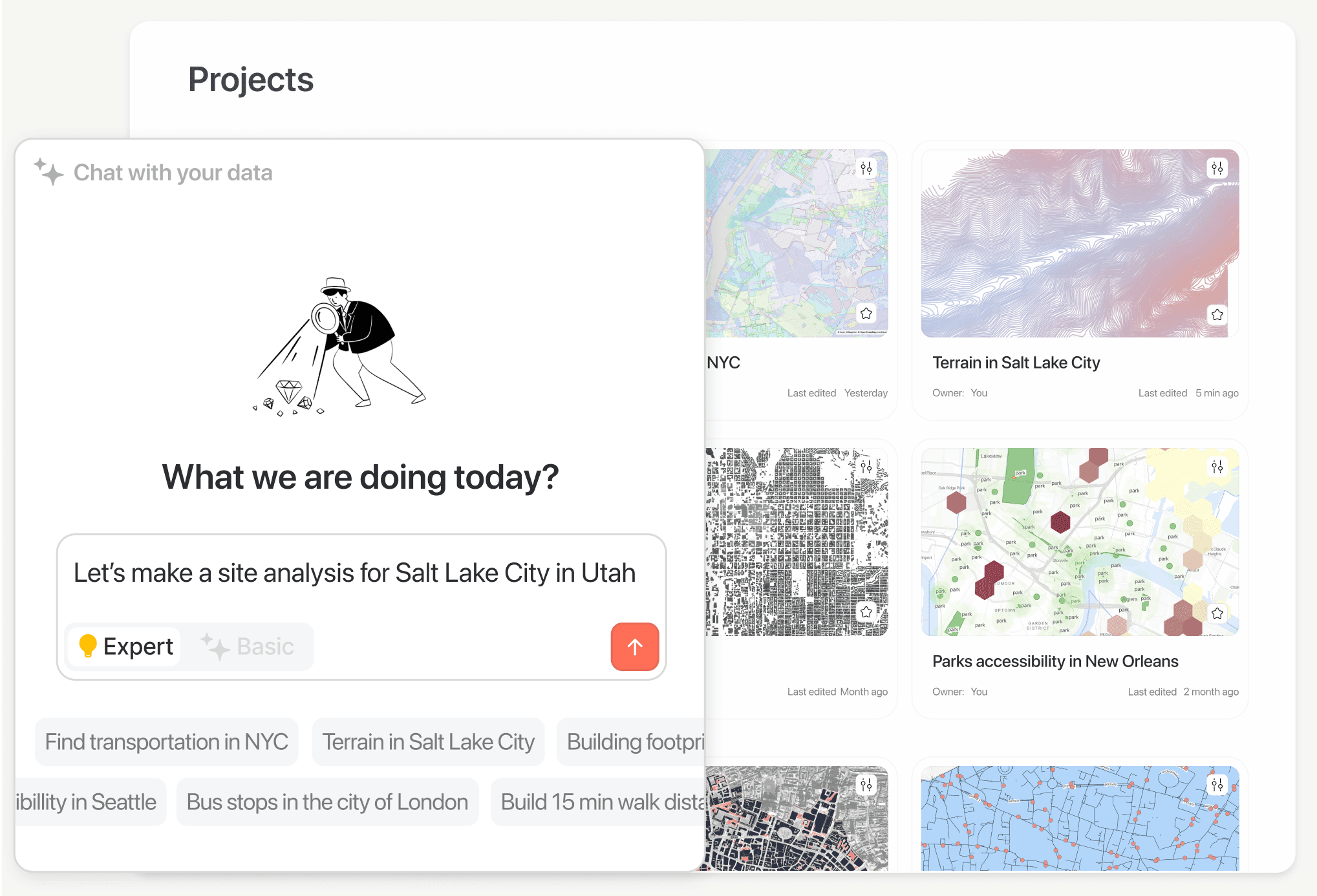
Work with spatial data using plain text. Describe what you need, and Aino handles the parsing, filtering and query building for you.

Search datasets with natural language prompts.

Filter large tables without writing SQL.

Generate spatial analysis automatically.

Get ready-to-use results on the map in minutes.
Export in your format

Export in your format

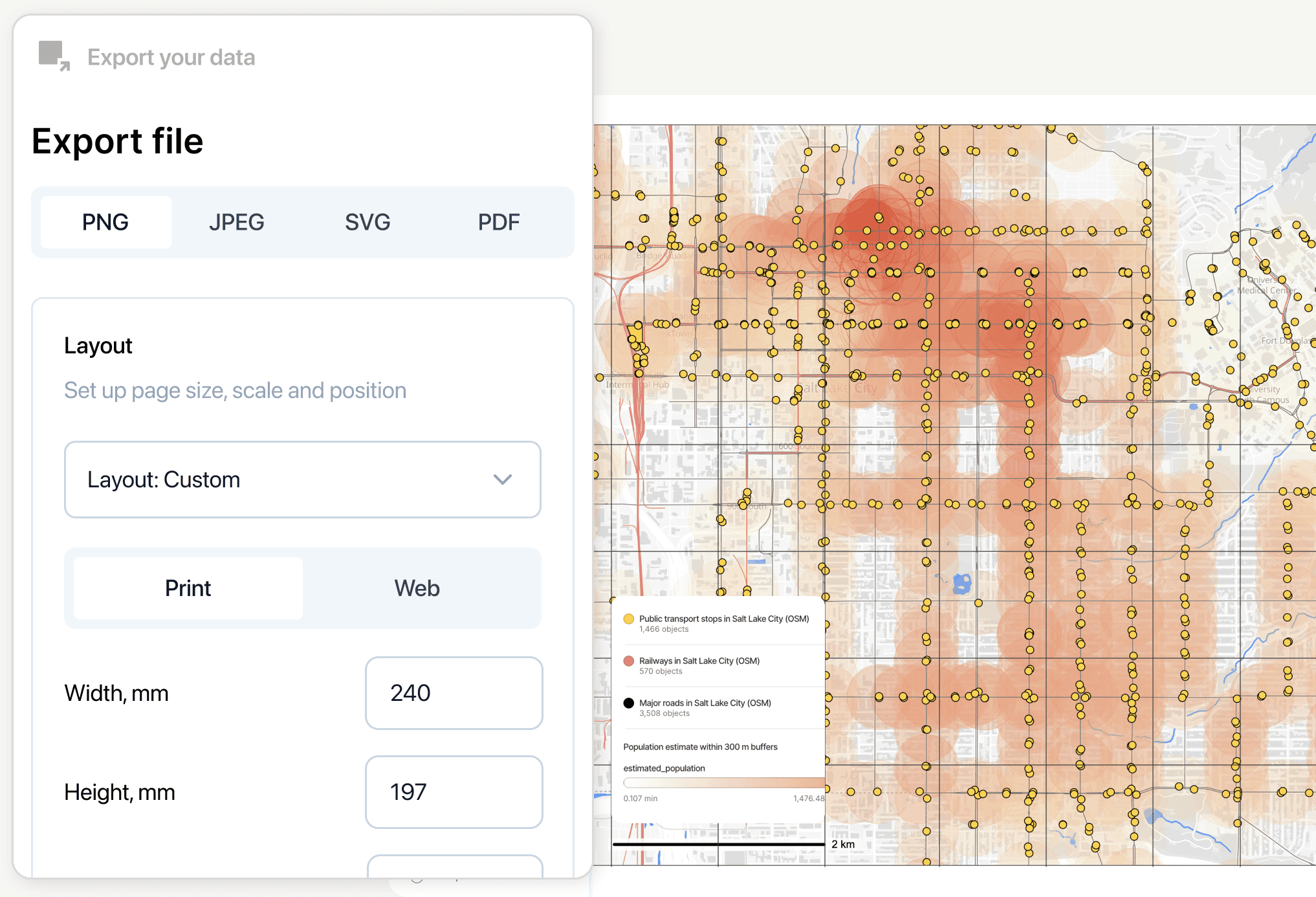
Customize the look of your map and send it anywhere. Adjust styles, colors and layers, then save for print, presentations or collaborative reviews..

Set colors, gradients, categories and heatmaps.

Export to png, jpeg, svg
or pdf.

Export to png, jpeg,
svg or pdf.

Share static visuals or interactive project links.
Export to dxf, json, csv
or send to GoogleSheets.

Export to dxf, json, csv
or send to Google Sheets.

Export to dxf, json, csv
or send to Google Sheets.

Made at Aino.

All data for these maps is sourced from the Aino in-built data library, connected to OpenStreetMap, Census, Overture Maps, Zenodo Terrain, etc.

Site Analysis Salt Lake City

Pedestrian activity analysis, Skid Row, LA

Transport Analisys, Phoenix

Solid and Void, Washington, DC

Site Analysis Salt Lake City

Pedestrian activity analysis, Skid Row, LA

Transport Analisys, Phoenix

Solid and Void, Washington, DC

What makes Aino different

AI built for location analysis:
Aino vs. General Models.

AI built for location analysis:
Aino vs. General Models.

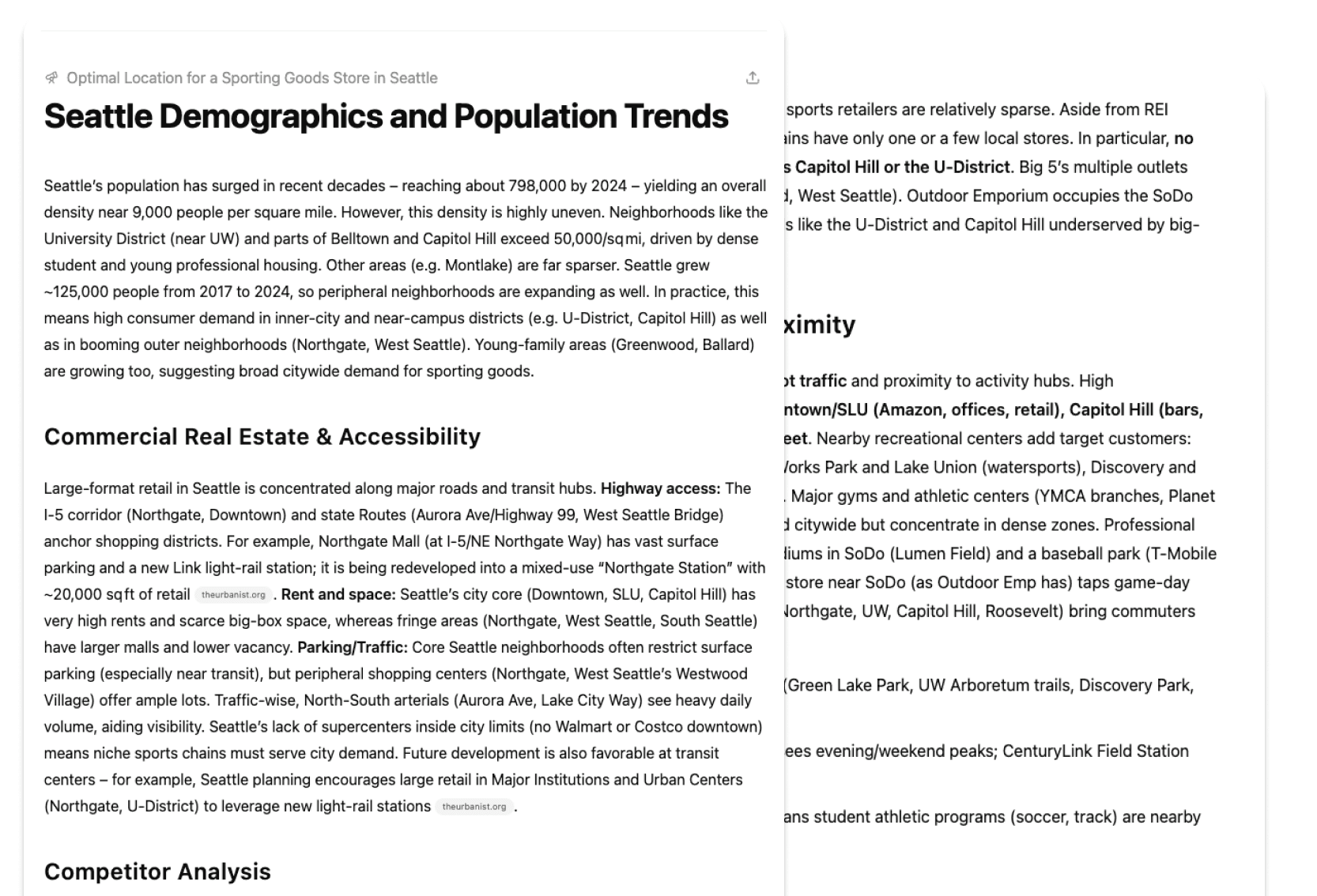
Quirey

Identify the optimal location for opening a new sporting goods store in Seattle, considering population data and competitor analysis |

Result
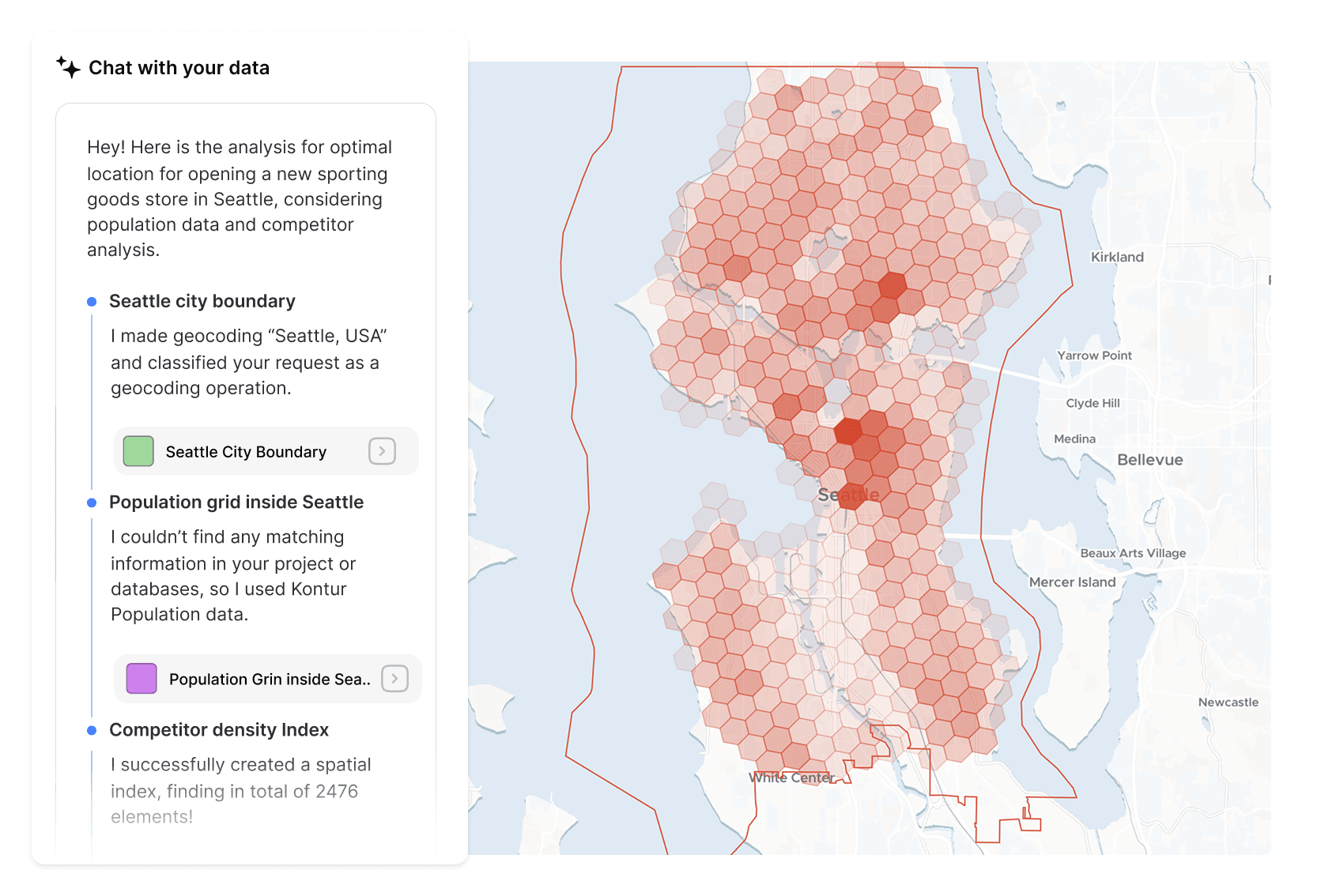
Aino AI

Best for location analysis, urban planning and real estate

Outputs interactive maps and dashboards

Performs real spatial and geographic data analysis

General purpose model

Best for content creation, Q&A,
and summaries

Outputs text only, does not offer GIS data visualization

Analyzes general information without spatial data

Why Aino

Made by urban planners
for urban planners.

Curated data library

10000+ datasets for urban planners' needs: from building footprints to population.

Curated data library

10000+ datasets for urban planners' needs: from building footprints to population.

Transparent data

AI analysis of real world data. All your insights are based on data from verified sourses.

Transparent data

AI analysis of real world data. All your insights are based on data from verified sourses.

No GIS or Coding skills

Questions in plain language instead of code and manual filtering and retrieving.

No GIS or Coding skills

Questions in plain language instead of code and manual filtering and retrieving.

Map Studio

Heatmaps, gradients, and other viz for maps export in popular vector, raster or data formats.

Map Studio

Heatmaps, gradients, and other viz for maps export in popular vector, raster or data formats.

How Aino enhance your work

Your go-to workspace
for location insights.

Your go-to workspace
for location insights.

Trusted location analysis

Get site analysis in minutes by simply asking questions—no expertise needed.

Interactive mapping

Create maps and dashboards instantly to visualize your results clearly.

Seamless CAD & GIS integration

Export in JSON, CSV, PDF, PNG,
or DXF—or sync with Google Sheets.

Curated data at your fingertips

Access 400+ cities’ worth of datasets, including POIs, street data, building footprints, and social metrics.

Flexible data input options

Connect your own Postgres database or upload files securely to enrich your projects.

Collaboration without the chaos

Work in real-time with your team—
no more tedious exports or version conflicts.

Frequntly Asked Questions

Frequntly Asked Questions

What is Aino AI?
icon

Aino AI is an agentic system — a combination of multiple AI models that can perform location analysis with human-level precision.

Do I need data experience to use Aino?
icon

No. Aino is designed for users of all backgrounds. You can start building projects without any prior data knowledge.

Can I use my own data?
icon

Yes, Aino supports standard GIS formats like GeoJSON, CSV, KML, GeoPackage, and even connects to Postgres.

Is my data safe with Aino?
icon

Yes. Your data is only accessible to you and your project team. Public visualizations are shared only when you choose to publish.

Can I try Aino for free?
icon

Yes, we hava a free 7-days trial for all new users. All you need is to sign up here: https://app.aino.world

Where does Aino’s data come from?
icon

We use open sources like OpenStreetMap, Overture Maps, and validated data from commercial providers.

How do I share my results?
icon

You can share a project as an interactive project or export in formats such as PNG, PDF, CSV, DXF, or JSON.

Ready to automate your data work?

Book a demo or sign up now

Schedule a quick call with an Aino expert to learn more about how Aino can best serve your needs.

Get free trial for organizations

Try Aino free for 7 days—no commitment or contract required.
Your trial includes guided onboarding to get you up and running quickly.

Dedicated founder support

After the trial, receive hands-on assistance from the Aino founders’ team to ensure a smooth launch and ongoing success.

Ready to automate your data work?

Book a demo or sign up now

Schedule a quick call with an Aino expert to learn more about how Aino can best serve your needs.

Get free trial for organizations

Try Aino free for 7 days—no commitment or contract required.
Your trial includes guided onboarding to get you up and running quickly.

Dedicated founder support

After the trial, receive hands-on assistance from the Aino founders’ team to ensure a smooth launch and ongoing success.

Ready to automate your data work?

Book a demo or sign up now

Schedule a quick call with an Aino expert to learn more about how Aino can best serve your needs.

Get free trial for organizations

Try Aino free for 7 days—no commitment or contract required.
Your trial includes guided onboarding to get you up and running quickly.

Dedicated founder support

After the trial, receive hands-on assistance from the Aino founders’ team to ensure a smooth launch and ongoing success.